If you have switched jobs more than once in your career, there is a good chance you have been allotted more than one Universal Account Number (UAN). While this sounds harmless, having duplicate UANs can freeze your EPF account, delay withdrawals, and create compliance headaches for your employer. The good news is that EPFO allows you to merge all UANs into a single active one — and the process is now mostly online.
Why Do Multiple UANs Get Created?
A UAN is meant to be a lifetime number — one per employee. However, if an employee joins a new organization and the HR team does not link the existing UAN or the employee does not share their old UAN, the system sometimes generates a fresh one. This creates duplicate UANs linked to the same Aadhaar and PAN, which EPFO flags as an irregularity.
Consequences of Having Duplicate UANs
- EPF withdrawals and transfers may be rejected outright
- Claims settlement gets delayed or blocked at the verification stage
- The employer faces compliance issues during monthly ECR filing
- Interest crediting can get suspended on the inactive account
Step-by-Step: How to Merge Multiple UAN Numbers
Step 1 — Identify All Your UANs
Check your old appointment letters, salary slips, or EPF passbooks. You can also visit the EPFO member portal (passbook.epfindia.gov.in) and attempt login with different mobile numbers to identify accounts.
Step 2 — Visit the Unified Member Portal
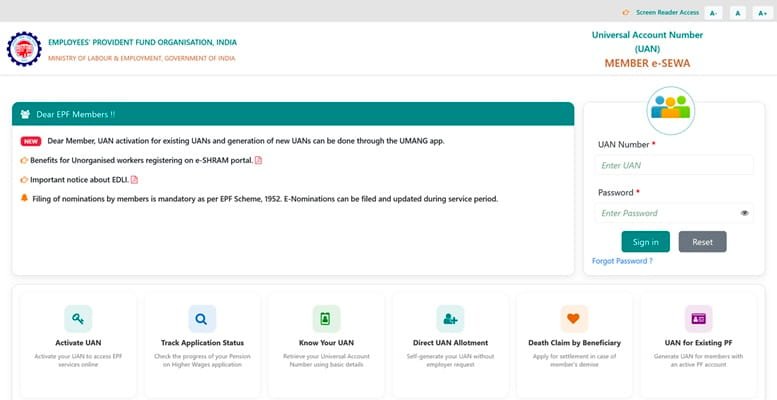
Go to unifiedportal-mem.epfindia.gov.in. Log in using your active UAN and Aadhaar-linked mobile OTP.
Step 3 — Raise a Grievance or Submit a Merger Request
Currently, UAN mergers are not automated via a self-service button. You need to raise a request through one of two channels:
- Online Grievance Portal: Visit epfigms.gov.in, select “Account Related” as the category, and describe your duplicate UAN situation with both UAN numbers mentioned.
- Through your current employer: Employers can write to the Regional EPFO office with an employer letter requesting merger of UANs and attaching proof of employment continuity.
Step 4 — Submit Supporting Documents
You will typically need to provide:
- Aadhaar card copy (linked to both accounts)
- PAN card copy
- Previous employer’s relieving letter or appointment letter
- A written request specifying which UAN should be deactivated
Step 5 — Follow Up at the Regional EPFO Office
After submission, you may need to visit the regional EPFO office in person or follow up through the grievance portal. The resolution typically takes 15–30 working days. Once merged, the EPF balance from the inactive UAN gets transferred to the active one.
Tips to Avoid Duplicate UANs in Future
- Always share your existing UAN with every new employer at the time of joining
- Ensure your Aadhaar, PAN, and mobile number are linked to your UAN before switching jobs
- Ask your new employer to verify your UAN on the EPFO employer portal before generating a new one
What Happens to Your Old PF Balance?
Once the merge is approved, EPFO consolidates the EPF and EPS balances from the inactive UAN into the active UAN. You will see the updated balance on your passbook. Note that merging does not trigger a taxable event — it is simply an administrative consolidation.
Frequently Asked Questions
Q: Can I merge UANs online without visiting an EPFO office?
A: Partially. You can initiate the request online via the grievance portal (epfigms.gov.in), but depending on your regional office, physical verification may be required. Simple cases with matching Aadhaar details are often resolved digitally.
Q: How long does UAN merger take?
A: The process typically takes 15 to 30 working days from the date of request submission. Timelines may vary by regional office workload.
Q: Will I lose my PF balance during the merger?
A: No. The balance in the inactive UAN is transferred to your active UAN. No funds are lost during the merger process.
Q: What if my previous employer is not traceable?
A: In such cases, you can directly approach the EPFO grievance portal with your Aadhaar and PAN details. EPFO can verify the records internally and process the merger based on KYC documents.
Q: Can an employer initiate the UAN merger on behalf of an employee?
A: Yes. Current employers can write an official letter to the regional EPFO commissioner requesting deactivation of the old UAN and merger into the new active one, along with supporting employee documents.