An Employees’ Provident Fund (EPF) account is not just a savings instrument — it is the foundation of your long-term financial security as a salaried employee in India. Automatically providing provident fund savings, pension entitlement, and life insurance coverage, an EPF account begins your retirement planning from day one of your employment.
Unlike bank accounts or investment accounts that you open yourself, EPF accounts are opened through your employer in coordination with EPFO. The process is largely automated in 2026, with digital integration between the employer portal, EPFO systems, and Aadhaar-based verification ensuring fast, paperless account setup. This step-by-step guide walks you through everything you need to know about opening and activating your EPF account.
Who is Eligible to Open an EPF Account?
| Category | Eligibility Condition | Contribution |
| Salaried Employee | Salary ≤ Rs. 15,000/month | Mandatory – auto-enrolled |
| High-Salary Employee | Salary > Rs. 15,000/month | Mandatory if already member |
| Voluntary Member | Any eligible employee | Can opt in voluntarily |
| New Joiner | Any age, eligible establishment | Enrolled within 1 month of joining |
| Contract Worker | Employed via contractor | Covered under principal employer |
Documents Required for EPF Account Opening
| Document | Purpose |
| Aadhaar Card | Identity + Aadhaar seeding with UAN |
| PAN Card | Tax compliance and KYC verification |
| Bank Account Passbook / Cancelled Cheque | Bank account linking for DBT |
| Mobile Number (linked to Aadhaar) | OTP-based verification |
| Passport-size Photograph | Profile registration |
| Date of Birth Proof | Age verification for EPS eligibility |
| Nomination Form (Form 2) | Nominate family members for EPF/EPS benefits |
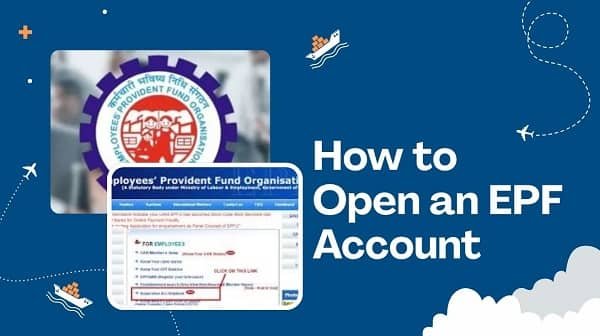
Step-by-Step Process: How an EPF Account is Opened
The EPF account opening process involves both the employer and the employee. Here is the complete end-to-end flow:
| 1 | Employer registers on the EPFO Employer Portal at https://unifiedportal-emp.epfindia.gov.in |
| 2 | Employer adds the new employee to the ECR (Electronic Challan-cum-Return) for the relevant wage month. |
| 3 | EPFO system auto-generates a UAN (Universal Account Number) for the new employee if they don’t have one. |
| 4 | If the employee already has a UAN from a previous employer, the employer links the new Member ID to the existing UAN. |
| 5 | Employee receives UAN via SMS on their Aadhaar-linked mobile number. |
| 6 | Employee activates UAN on the EPFO Member Portal and sets a password. |
| 7 | Employee completes KYC by linking Aadhaar, PAN, and bank account on the portal. |
| 8 | Employer approves KYC documents — EPF account is now fully active and operational. |
Understanding Your EPF Account Structure
Universal Account Number (UAN)
Your UAN is a 12-digit unique number allotted by EPFO that remains constant throughout your career, regardless of how many jobs you change. It is the master identity for your EPF account. All employer-specific Member IDs are linked to this single UAN, making PF portability seamless.
Member ID
Each time you join a new employer, EPFO assigns a new Member ID (also called PF Account Number) under your UAN. This ID is in the format: Region Code + Office Code + Establishment Code + Extension + Member Code (e.g., MHBAN0012345000 / 001). Your Member ID is specific to your employment with that particular employer, while your UAN remains your permanent identity.
EPF Passbook
Once your account is active and your employer files the first ECR, you can download your EPF passbook from the EPFO Unified Member Portal at https://passbook.epfindia.gov.in. The passbook shows all monthly contributions (employer and employee), interest credited, and withdrawal transactions across all Member IDs under your UAN.
How to Check Your EPF Account After Opening
- Log in to https://unifiedportal-mem.epfindia.gov.in using your UAN and password.
- Navigate to ‘View’ > ‘Passbook’ to see your EPF balance and transaction history.
- SMS: Send ‘EPFOHO UAN LAN’ to 7738299899 from your registered mobile (replace LAN with your language code, e.g., ENG for English).
- Missed Call: Give a missed call to 011-22901406 from your registered mobile to get your EPF balance via SMS.
- UMANG App: Download UMANG on Android or iOS, log in with your UAN, and access all EPF services on mobile.
Important Things to Do After Opening Your EPF Account
- Activate your UAN immediately using your Aadhaar-linked mobile number.
- Link your Aadhaar to your UAN for Aadhaar-based auto-claim settlement (up to Rs. 1 lakh instantly).
- Link your PAN for tax compliance and smooth withdrawal processing.
- Add your bank account details and ensure it is verified by your employer.
- File an e-Nomination to designate your family members as nominees for EPF and EPS benefits.
- Regularly check your passbook to verify that employer contributions are being deposited correctly.
Frequently Asked Questions (FAQs)
Q1. Can I open an EPF account on my own without an employer?
A: No, EPF accounts cannot be opened independently by an individual. EPFO membership is employer-driven — your employer must first be registered with EPFO, and only then can they enroll you as a member. When you join an eligible organisation (20+ employees), your employer is legally obligated to register you with EPFO within one month of your joining date, generate or link your UAN, and begin contributing on your behalf. Self-employed individuals and freelancers are not eligible for direct EPF enrollment; they may instead consider the National Pension System (NPS) as an alternative retirement savings vehicle.
Q2. What is the minimum salary to be eligible for EPF?
A: There is no minimum salary threshold for EPF eligibility. However, EPF enrollment is mandatory for employees earning a basic salary and Dearness Allowance (DA) of up to Rs. 15,000 per month working in eligible establishments. Employees earning above Rs. 15,000 per month can also be EPF members if they were already members before their salary crossed this threshold. Both the employer and employee contribute 12% of the actual basic salary and DA if the employee’s salary is up to Rs. 15,000. For higher-salary employees, employers have the option to cap contributions at 12% of Rs. 15,000 (i.e., Rs. 1,800 each) unless both parties agree to contribute on the actual salary.
Q3. How long does it take to open an EPF account after joining a new employer?
A: Under EPFO regulations, employers are required to register new employees and submit their first ECR (Electronic Challan-cum-Return) within one month of the employee’s joining date. In practice, the UAN generation and account activation process is much faster — often completed within the first payroll cycle (15–30 days). Once the employer files the first ECR and the UAN is generated, the employee can activate their UAN online within minutes using their Aadhaar-linked mobile number. Full KYC activation typically takes an additional 2–7 working days after the employer approves the employee’s submitted KYC documents.
Q4. What happens if my employer does not enroll me in EPF?
A: If your employer fails to enroll you in EPF despite being a covered establishment, it is a legal violation under the EPF & MP Act, 1952. In such cases, you can file a complaint directly with the nearest EPFO Regional Office or raise a grievance through the EPFiGMS (EPFO Grievance Management System) portal at https://epfigms.gov.in. You can also escalate the matter to the Labour Commissioner in your state. EPFO has the authority to inspect the establishment, demand arrears of contributions with interest, and levy damages. You are entitled to receive all contributions due from your date of joining along with the applicable interest.
Q5. Can I have more than one EPF account?
A: Yes, it is possible to have multiple EPF Member IDs — one for each employer you have worked with — but ideally, all of them should be linked to a single UAN (Universal Account Number). The UAN is your lifelong EPF identity, and multiple Member IDs (from different employers) are consolidated under it. Having multiple accounts is not a problem in itself, but it is strongly advisable to transfer old EPF balances to your current employer’s account to avoid account dormancy and to ensure all your PF savings grow under a single, active account. Dormant accounts (inactive for 36+ months in members below 58 years) continue to earn interest but may face administrative challenges during final settlement.
Conclusion
Opening an EPF account is one of the most important automatic financial steps that happens when you join a new job in India’s organised sector. While the process is employer-driven and largely automated in 2026, understanding how it works empowers you to verify your enrollment, activate your UAN promptly, complete your KYC, and start building your retirement corpus from your very first paycheck.
Take ownership of your EPF account early — activate your UAN, update all KYC details, nominate your family members, and check your passbook regularly. These simple steps ensure that your EPF account works efficiently as the cornerstone of your financial security throughout your career and into retirement.