


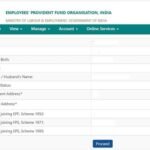


The EPFO Passbook is a digital statement of your Provident Fund (PF) account, maintained by the Employees’ Provident Fund Organisation (EPFO). Just like a bank passbook records every deposit and withdrawal from your savings account, your EPFO Passbook records every contribution made to your PF account — by you (employee) and by your employer — along with the interest credited annually.
For any salaried employee in India whose monthly salary is below Rs. 15,000, contribution to EPF is mandatory. Employees earning above this threshold can also opt in voluntarily. The EPFO Passbook is the most reliable way to track these accumulated savings, verify that your employer is depositing contributions on time, and stay informed about the growing corpus that will support you at retirement.
The EPFO Passbook is accessible 24×7 through the official portal at passbook.epfindia.gov.in, the UMANG mobile app, or via simple SMS and missed call services — making it convenient even for members without consistent internet access.
|
Parameter |
Details |
|
Full Form |
Employees’ Provident Fund Organisation |
|
Passbook Portal |
passbook.epfindia.gov.in |
|
Login Requirement |
Activated UAN + registered mobile number |
|
What You Can View |
PF balance, employer & employee contributions, interest credits, transaction history |
|
Availability |
24×7 online; UMANG app; missed call / SMS |
|
Interest Rate (2024-25) |
8.25% per annum (as declared by EPFO) |
|
Managed By |
Ministry of Labour & Employment, Government of India |
|
Other Access Methods |
UMANG app, SMS to 7738299899, missed call to 011-22901406 |
Why Should You Regularly Check Your EPFO Passbook?
Many employees contribute to their PF throughout their working lives but rarely take the time to verify whether their contributions are being deposited correctly. Here is why monitoring your EPFO Passbook regularly matters:
- Verify employer contributions: Your employer is legally required to deposit PF contributions by the 15th of every month. Checking your passbook confirms compliance.
- Track your growing corpus: See exactly how much you have accumulated, including interest credited at the rate declared by EPFO (8.25% per annum for 2024-25).
- Detect discrepancies early: If your employer delays or misses a deposit, your passbook will show missing entries, allowing you to raise a complaint through the EPFO grievance portal.
- Financial planning: Knowing your PF balance helps you plan for retirement, home loan eligibility (EPF advance), or emergency withdrawals.
- Claim settlement tracking: If you have submitted a PF withdrawal or transfer claim, the passbook reflects the status once processed.
How to Check EPFO Passbook Online – Step-by-Step
Accessing your EPFO Passbook online is straightforward. All you need is an activated Universal Account Number (UAN) and your registered mobile number. Here are the detailed steps:
Method 1: Via EPFO Passbook Portal (passbook.epfindia.gov.in)
- Open your browser and visit the official EPFO passbook portal: passbook.epfindia.gov.in.
- Enter your UAN (Universal Account Number) — a 12-digit number allotted to every EPF member.
- Enter your password and the captcha code displayed on screen.
- Click ‘Login’. You will be directed to your member dashboard.
- Select the member ID (PF account) you wish to view — employees who have changed jobs may have multiple member IDs linked to one UAN.
- Click ‘View Passbook’. Your complete transaction history will load on screen.
- You can download the passbook as a PDF for your records by clicking the ‘Download’ option.
Method 2: Via UMANG App
The UMANG (Unified Mobile Application for New-age Governance) app is the government’s multi-service mobile platform and supports EPFO services seamlessly.
- Download the UMANG app from the Google Play Store or Apple App Store.
- Register or log in using your mobile number and MPIN.
- Search for ‘EPFO‘ and tap on ‘Employee Centric Services’.
- Select ‘View Passbook’ and authenticate using your UAN and OTP sent to your registered mobile.
- Your passbook will load, showing all contributions and interest credits.
Method 3: Missed Call Service
Give a missed call to 011-22901406 from your UAN-registered mobile number. EPFO will send your PF balance as an SMS within minutes. No internet required.
Method 4: SMS Service
Send the message EPFOHO UAN ENG to 7738299899 from your registered mobile number. Replace ‘ENG’ with the first three letters of your preferred language (e.g., HIN for Hindi, MAR for Marathi). You will receive your PF balance details via SMS.
What Information Does the EPFO Passbook Show?
Your EPFO Passbook is a comprehensive record of your PF account. Here is what each section displays:
|
Passbook Section |
What It Shows |
Why It Matters |
|
Employee Contribution (EPF) |
12% of basic salary + DA deposited monthly |
Your personal share going to EPF |
|
Employer Contribution (EPS) |
8.33% of basic (up to Rs. 1,250/month) to pension scheme |
Goes to Employees’ Pension Scheme, not EPF |
|
Employer Contribution (EPF) |
3.67% of basic deposited to EPF account |
Employer’s share added to your PF corpus |
|
Interest Credit |
Annual interest at EPFO-declared rate |
How your PF corpus grows each year |
|
Opening Balance |
PF balance at start of financial year |
Reference point for yearly growth |
|
Closing Balance |
Total corpus at end of financial year |
Your total PF savings to date |
|
Transfer / Withdrawal |
Any amounts moved or withdrawn |
Track claim settlements and transfers |
Understanding PF Contributions — Employee vs Employer
The PF contribution structure can sometimes confuse members, especially regarding where the employer’s 12% share goes. Here is a clear breakdown:
- Employee’s Contribution: 12% of your basic salary + dearness allowance (DA) goes entirely into your EPF account.
- Employer’s Contribution (EPS): 8.33% of your basic salary (capped at Rs. 1,250 per month) goes into the Employees’ Pension Scheme (EPS). This amount does NOT appear in your withdrawable EPF balance but contributes to your pension at retirement.
- Employer’s Contribution (EPF): The remaining 3.67% of your basic salary goes into your EPF account and is visible in your passbook.
- Interest: EPFO declares an interest rate each year (8.25% for 2024-25). Interest is calculated monthly on the running balance but credited at the end of the financial year.
This means that from your employer’s 12% contribution, only 3.67% is added to your withdrawable EPF balance. The rest (8.33%) builds your EPS pension benefit and is typically accessible only upon retirement after completing 10 years of service.
EPFO Interest Rate — Historical Overview
The EPFO interest rate is declared annually by the Central Board of Trustees (CBT) and ratified by the Ministry of Finance. Here is a snapshot of recent years to give you context:
|
Financial Year |
EPF Interest Rate |
|
2024-25 |
8.25% |
|
2023-24 |
8.25% |
|
2022-23 |
8.15% |
|
2021-22 |
8.10% |
|
2020-21 |
8.50% |
The interest for 2024-25 has been maintained at 8.25% — one of the highest risk-free returns available on a fixed savings instrument in India, making EPF an attractive long-term savings vehicle.
Common Issues When Accessing the EPFO Passbook
While the EPFO passbook portal is generally reliable, members sometimes encounter issues. Here are the most common problems and their solutions:
- Passbook showing ‘NA’: This usually means your UAN is not seeded with your Aadhaar, or your KYC is incomplete. Log in to the UAN portal (unifiedportal-mem.epfindia.gov.in) and complete KYC under the ‘Manage’ section.
- Contributions not updated: Passbook data is updated after your employer files the monthly ECR (Electronic Challan cum Return). If your employer has not filed ECR, contributions will not reflect. Raise a grievance at epfigms.gov.in.
- Password forgot: Use the ‘Forgot Password’ option on the passbook portal. You will receive a reset link on your UAN-registered mobile number.
- UAN not activated: Visit your employer’s HR team or activate UAN yourself at the EPFO member portal using your Aadhaar and registered mobile OTP.
- Multiple member IDs visible: This is normal if you have changed employers. Each employer creates a new member ID linked to your UAN. You can view and transfer balances from old member IDs.
Tracking PF Withdrawal and Transfer Through the Passbook
If you have submitted an online PF withdrawal claim or a PF transfer request (Form 13), the EPFO Passbook is where you can track the outcome once it is processed. After a successful settlement, the withdrawn or transferred amount appears in the passbook as a debit entry, with the date and transaction reference.
For faster claim processing, ensure your Aadhaar is seeded with your UAN, your bank account is linked and verified, and your KYC documents are approved. Claims with complete KYC are typically processed within 10–20 working days.
Frequently Asked Questions (FAQs)
Q1. What is the EPFO Passbook and who can access it?
The EPFO Passbook is a digital record of all transactions in your Provident Fund (PF) account — including employee and employer contributions, interest credits, and withdrawals. Any employee who is an EPFO member with an activated UAN (Universal Account Number) can access their passbook at passbook.epfindia.gov.in or through the UMANG app.
Q2. Why is my EPFO Passbook showing ‘NA’ for balance?
The ‘NA’ status in the EPFO Passbook typically indicates that your KYC is incomplete or your Aadhaar has not been seeded with your UAN. Log in to the EPFO member portal and navigate to Manage > KYC to upload and get your documents approved. Once KYC is complete, your passbook should update within a few working days.
Q3. How often is the EPFO Passbook updated?
The EPFO Passbook is updated once your employer files the monthly ECR (Electronic Challan cum Return) and the payment is cleared. This typically happens around the 15th of each month. Annual interest credited by EPFO is usually reflected in the passbook by August or September of the following financial year, after ratification by the Ministry of Finance.
Q4. Can I download my EPFO Passbook as a PDF?
Yes. After logging in to the EPFO passbook portal and viewing your passbook, you will find a download option that allows you to save your passbook as a PDF. This is useful when submitting your PF balance statement for a home loan application, visa documentation, or financial planning purposes.
Q5. Is the EPFO Passbook the same as the EPF balance?
Not exactly. The EPFO Passbook shows the complete transaction history — contributions, interest, and withdrawals — while the EPF balance is the net figure available for withdrawal at any given time. The passbook gives you full transparency into how your balance has grown over time, while a balance check (via SMS or missed call) gives you just the total figure.
Conclusion
The EPFO Passbook is an essential financial tool for every working Indian contributing to the Employees’ Provident Fund. It provides full transparency into your retirement savings — from monthly contributions and employer deposits to annual interest credits and withdrawal history. With multiple access options including the online portal, UMANG app, missed call, and SMS service, checking your PF passbook has never been more accessible.
Make it a habit to review your EPFO Passbook at least once every quarter. This simple practice ensures that your employer is meeting their obligations, your contributions are being recorded correctly, and your retirement corpus is growing as expected. Your financial future starts with staying informed today.