




The Employees’ Provident Fund Organisation (EPFO) mandates all registered employers to manage their PF obligations through the official EPFO Employer Portal. In 2026, the portal continues to serve as the single digital gateway for employers to file Electronic Challan-cum-Return (ECR), remit PF contributions, manage employee registrations, and maintain full compliance with the EPF & MP Act, 1952.
For every establishment with 20 or more employees, EPFO registration and regular compliance through the Employer Portal is not just a legal obligation – it is a critical function of HR and payroll management. This comprehensive guide explains how to log in, file ECR, make PF payments, and stay compliant through the EPFO Employer Portal in 2026.
EPFO Employer Portal – Overview
|
Detail |
Information |
|
Portal Name |
EPFO Employer Portal (Unified Shram Suvidha Portal) |
|
Official URL |
https://unifiedportal-emp.epfindia.gov.in |
|
Managed By |
Employees’ Provident Fund Organisation (EPFO) |
|
Login Credentials |
Establishment ID + Password |
|
Key Function |
ECR Filing, PF Remittance, Compliance Management |
|
ECR Filing Deadline |
15th of every month |
|
PF Remittance Deadline |
15th of every month (for the previous month) |
|
Helpdesk |
1800-118-005 (Toll-Free) |
Who Must Register on the EPFO Employer Portal?
Under the EPF & Miscellaneous Provisions Act, 1952, the following establishments are required to register with EPFO and use the Employer Portal:
- Any factory or establishment employing 20 or more persons.
- Establishments voluntarily covered under EPF even with fewer than 20 employees.
- Establishments notified by the Central Government regardless of employee count.
- Contract employers and principal employers managing contract workforce.
Once registered, every employer is assigned a unique Establishment ID (also called PF Code), which serves as the login username for the EPFO Employer Portal.
Step-by-Step Guide: EPFO Employer Login 2026
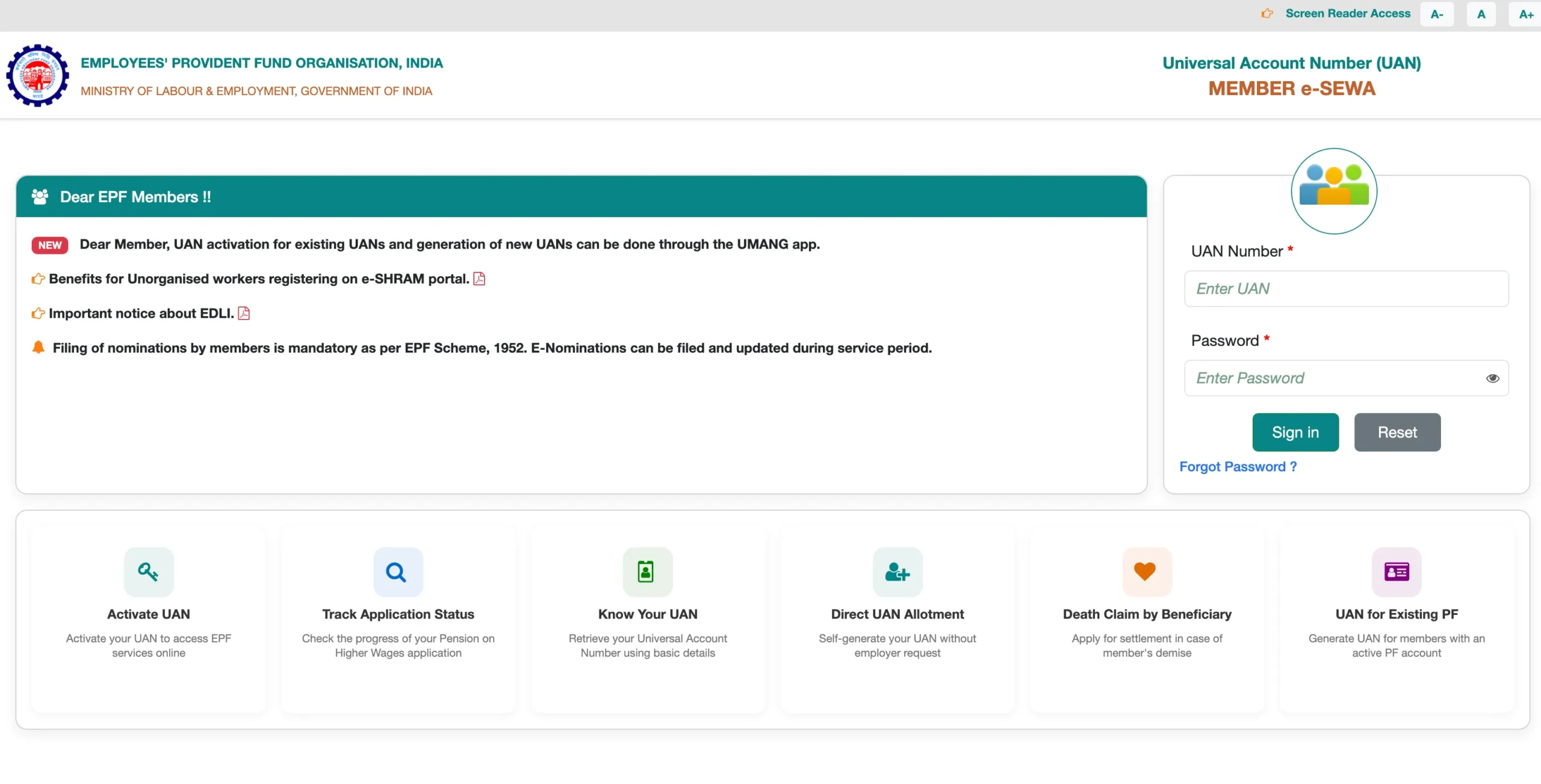
Follow these steps to log in to the EPFO Employer Portal:
|
1 |
Open your browser and navigate to the EPFO Employer Portal: https://unifiedportal-emp.epfindia.gov.in |
|
2 |
On the homepage, click on ‘Employer Login’ under the Establishment section. |
|
3 |
Enter your Establishment ID (e.g., MHBAN0012345000) in the username field. |
|
4 |
Enter your password in the password field (case-sensitive). |
|
5 |
Enter the CAPTCHA code displayed on the screen. |
|
6 |
Click ‘Sign In’ to access your Employer Dashboard. |
|
7 |
On first login, you may be prompted to change your default password and set up security questions. |
After successful login, the Employer Dashboard gives you access to ECR filing, member management, claim approvals, KYC verification, and compliance tools.
How to Reset EPFO Employer Portal Password
If you have forgotten your Employer Portal password, reset it using the following steps:
- Visit the EPFO Employer Portal login page.
- Click on ‘Forgot Password’ below the login form.
- Enter your Establishment ID and registered email address or mobile number.
- An OTP or reset link will be sent to the registered contact details.
- Follow the instructions to set a new password.
- Log in using your Establishment ID and the newly created password.
If you do not have access to the registered email or mobile number, contact EPFO’s helpdesk at 1800-118-005 or visit your regional EPFO office for manual assistance.
What is ECR? Understanding Electronic Challan-cum-Return
The Electronic Challan-cum-Return (ECR) is a monthly digital return that employers must file on the EPFO portal. It combines the PF contribution details (return) and the payment challan into a single electronic format. ECR filing replaced paper-based returns and challan submission, making PF compliance faster and more accurate.
ECR includes details such as employee UAN, name, gross wages, EPF wages, EPF contribution (employer + employee), EPS contribution, EDLI, and employer administrative charges for each employee during the wage month.
How to File ECR on the EPFO Employer Portal – Step-by-Step
|
1 |
Log in to the Employer Portal using your Establishment ID and password. |
|
2 |
Navigate to ‘ECR/Return Filing’ from the top menu. |
|
3 |
Select ‘Upload ECR’ and choose the wage month for which ECR is being filed. |
|
4 |
Download the ECR template/format and fill in employee-wise contribution details (UAN, name, wages, EPF, EPS contributions). |
|
5 |
Upload the completed ECR file in the prescribed .txt format. |
|
6 |
Verify the uploaded data – ensure all UANs are active and amounts are correct. |
|
7 |
Generate the payment challan (TRRN – Temporary Return Reference Number). |
|
8 |
Pay the challan online via net banking, NEFT, or RTGS before the 15th of the month. |
|
9 |
Download the payment receipt and approved ECR for your records. |
Timely ECR filing and payment on or before the 15th of every month is mandatory. Delays attract interest and damages under Section 7Q and Section 14B of the EPF Act.
PF Contribution Rates – Employer & Employee Breakdown (2026)
Understanding contribution rates is essential for accurate ECR filing. Here is the current breakdown:
|
Component |
Employee Contribution |
Employer Contribution |
|
EPF (Provident Fund) |
12% of Basic + DA |
3.67% of Basic + DA |
|
EPS (Pension Scheme) |
Nil |
8.33% of Basic + DA |
|
EDLI (Insurance) |
Nil |
0.50% of Basic + DA |
|
Admin Charges (EPF) |
Nil |
0.50% of Basic + DA |
|
Admin Charges (EDLI) |
Nil |
Nil (from Feb 2020) |
Key Services Available on the EPFO Employer Portal
1. Member Registration & UAN Generation
Employers can register new employees, generate UANs, and link employee KYC documents through the portal. All new employees must be registered within one month of joining.
2. KYC Approval for Employees
Employees submit their Aadhaar, PAN, and bank details through the member portal. Employers must approve these KYC documents promptly through the Employer Portal to enable employees to file online claims.
3. Online PF Transfer & Claim Approvals
When employees request PF transfers or withdrawals, employers are required to approve these requests through the portal. Timely approval ensures faster claim settlement for departing or retiring employees.
4. DSC (Digital Signature Certificate) Management
Employers can register and manage their Digital Signature Certificate on the portal. DSC is required for approving certain high-value claims and transactions electronically.
5. Establishment Profile Management
Update establishment details including address, contact information, bank account, authorized signatory, and ownership details directly through the portal.
6. Compliance Reports & ECR History
Download historical ECR filings, payment challans, and compliance reports for any financial year directly from the portal for audit and record-keeping purposes.
EPFO Employer Compliance Calendar & Penalties
Staying compliant with EPFO deadlines is critical to avoid financial penalties and legal action. Here is a summary of key compliance obligations:
|
Compliance Task |
Due Date |
Penalty for Default |
|
ECR Filing |
15th of every month |
Damages @ 5%-25% p.a. |
|
PF Remittance |
15th of every month |
Interest @ 12% p.a. |
|
ESIC Contribution |
15th of every month |
Damages as applicable |
|
Annual PF Return |
30th April each year |
Penalty under Section 14B |
|
New Employee Registration |
Within 1 month of joining |
Penalty under EPF Act |
Common EPFO Employer Portal Issues & Solutions
Issue: Invalid Establishment ID – Double-check your PF code. It follows the format: State Code + Regional Office Code + Establishment Code + Extension (e.g., MHBAN0012345000).
Issue: ECR Upload Failure – Ensure the ECR file is in the correct .txt format with no special characters or blank UAN fields. Validate the file using EPFO’s ECR helper tool before uploading.
Issue: TRRN Not Generated – This usually occurs due to incorrect wage month selection or data mismatches. Verify the ECR data and re-upload if necessary.
Issue: Payment Challan Not Reflecting – After NEFT/RTGS payment, it may take up to 3 working days to reflect. Retain the bank transaction reference number for reconciliation.
Issue: Employee UAN Not Active – Inactive UANs cause ECR errors. Ensure all employee UANs are activated before filing. Contact EPFO helpdesk for bulk UAN activation queries.
Issue: DSC Registration Error – Ensure your DSC token driver is installed correctly and the certificate is valid and not expired. Use Internet Explorer or Edge for DSC-related tasks if using older systems.
Best Practices for EPFO Employer Compliance in 2026
- Maintain a dedicated HR/payroll team member responsible for EPFO compliance to ensure no deadlines are missed.
- Reconcile payroll data with ECR details every month before uploading to avoid mismatches and re-filings.
- Keep employee KYC approvals up to date to prevent claim rejections and delays.
- Register new employees and generate UANs within one month of joining as mandated by EPFO.
- Use EPFO’s ECR preparation software or reputed payroll software with EPFO integration for accurate and error-free ECR files.
- Download and archive all ECR filings, payment challans, and TRRN receipts for a minimum of 5 years for audit purposes.
- Subscribe to EPFO email/SMS alerts for policy updates, deadline reminders, and portal maintenance notices.
Conclusion
The EPFO Employer Portal is the backbone of PF compliance for organisations across India. In 2026, with increasing digitisation and stricter enforcement, employers must leverage the full capabilities of the portal – from accurate ECR filing and timely remittances to prompt KYC approvals and claim management.
By understanding the login process, mastering ECR filing, staying updated with contribution rates, and maintaining a robust compliance calendar, employers can avoid penalties, protect employee benefits, and build a trustworthy work environment. Bookmark the official EPFO Employer Portal, train your HR team regularly, and ensure that every month’s PF obligations are met on time – because compliance is not just a legal duty, it is a commitment to your employees’ financial security.
Disclaimer: This guide is for informational purposes only. Always refer to the official EPFO website and relevant statutory provisions for authoritative and current information.