


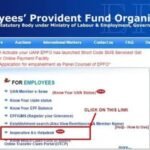
Checking your EPF passbook only to find that it has not updated in weeks or months is a common and stressful experience. Before assuming the worst — that your employer has stopped depositing — it helps to understand that passbook updates can lag for several legitimate technical and compliance reasons. Some are employer-related, some are EPFO processing delays, and some are account-level issues on your end. Here is a systematic guide to diagnosing and fixing the problem.
How the EPF Passbook Update Process Works
To understand why passbooks get stuck, it helps to understand how they update. The process has multiple steps:
- Employer calculates contributions and uploads ECR (by 15th of each month)
- Employer pays the ECR challan via net banking (by 15th)
- EPFO’s backend reconciles the payment against the ECR
- EPFO credits individual member accounts based on the ECR data
- Interest is calculated and credited annually (typically in September-October for the previous financial year)
A breakdown at any of these stages can cause the passbook to appear stuck.
Reason 1: Employer Filed ECR Late or Has Not Filed
This is the most common reason for a passbook not updating. If the employer misses the 15th deadline, the ECR and payment for that month are delayed. The passbook will not show that month’s credit until the ECR is filed and paid — which could be weeks later.
How to check: Log into the EPFO member portal and check the passbook. Note the last credited month. If it is 2-3 months behind the current date, your employer is likely filing late. Request the ECR challan (TRRN receipt) from your HR team.
Reason 2: EPFO Annual Interest Crediting Delay
EPFO credits the annual interest for a financial year in a batch process, typically between July and October of the following year. This is normal. Your passbook will show a separate entry for “Interest” once it is credited. The principal contributions update monthly; interest updates annually.
If the previous year’s interest has not been credited by December, it is worth raising a query — but delays up to October are routine.
Reason 3: Aadhaar KYC Not Approved
Without approved Aadhaar KYC, the EPFO portal may not display the latest passbook data. Aadhaar seeding is now mandatory for passbook access. If your Aadhaar KYC shows “Pending” or “Failed,” the passbook view may be blocked or incomplete.
Fix:
- Log in to the member portal and go to Manage > KYC
- Check the status of your Aadhaar KYC
- If “Pending employer approval” — follow up with your HR to approve
- If “Failed” — there may be a name/date of birth mismatch; follow the correction process
Reason 4: UAN Seeding Not Complete
New employees whose UAN has been generated but not yet Aadhaar-seeded may face passbook access issues. The employer must complete Aadhaar seeding through the employer portal, and the employee must verify via Aadhaar OTP on the member portal.
Reason 5: Wrong Member ID / Multiple Accounts
If you have worked with multiple employers, you have multiple Member IDs under the same UAN. The passbook shows data separately for each Member ID. It is possible that contributions are going into a different Member ID than the one you are checking. On the passbook page, select the correct Member ID (corresponding to your current employer) from the dropdown.
Reason 6: EPFO Portal Technical Issues
EPFO’s portal occasionally has technical delays — particularly around month-end when ECR processing volume is high. A passbook that appears stuck for 2-3 days during the 15th-20th window of any month may simply be due to backend processing load.
Try accessing the passbook at a different time of day — early mornings generally have lower portal traffic and faster responses.
Reason 7: Employer in Default
If your employer has consistently not paid ECR contributions for multiple months, the passbook will have sustained gaps. This is the most serious scenario and requires a grievance filing on EPFIGMS.
Step-by-Step Diagnostic Checklist
- Check the last credited entry in your passbook and note the month
- Compare with your salary slip — confirm EPF was deducted for the missing months
- Check your Aadhaar KYC status in the portal
- Confirm you are viewing the right Member ID
- Check if EPFO portal is under maintenance (check epfindia.gov.in home page for announcements)
- If contributions were deducted but not credited for 2+ months — raise a grievance on EPFIGMS
Frequently Asked Questions
Q: How frequently does the EPFO passbook update with new contributions?
A: Monthly contributions typically appear in the passbook within 20-25 working days after the employer files and pays the ECR (due by the 15th of each month). Annual interest is credited separately, usually between July and October for the previous financial year.
Q: Why does my passbook show “Passbook under updation” message?
A: This message appears when EPFO’s backend is processing a batch update for your account — usually during the annual interest crediting cycle or after a transfer/merger. It is temporary and should resolve within 24-72 hours. If it persists for more than a week, raise a grievance.
Q: My passbook is not accessible at all — it just shows an error. What should I do?
A: First, try a different browser or clear your cache. If the issue persists, check that your Aadhaar KYC is verified (the passbook requires verified KYC to display). If KYC is verified and you still cannot access it, call EPFO helpline 1800-118-005 or raise a portal-related grievance on EPFIGMS.
Q: The passbook shows old contributions but not the last 3 months. My employer says they have paid. Who is right?
A: Request the TRRN (challan reference number) from your employer for the months in question. You can verify on the EPFO portal whether payment against that TRRN has been received. If payment was made but not reflected in your passbook after 30 days, raise a grievance — EPFO may need to reconcile the ECR and payment records.
Q: Can I check my EPF balance without logging into the portal if the portal is not working?
A: Yes. Give a missed call from your registered mobile to 9966044425 — you will receive an SMS with your latest balance. Alternatively, SMS “EPFOHO UAN” to 7738299899 for a balance update. The UMANG app also provides balance information independently of the main portal.